How to Make AI Tattoo Designs Look Less Generic (7 Practical Tips)
Last updated: 2026/10/20
AI tattoo designs often look generic because a short prompt leaves most of the decisions to the model. Ask for "a tiger tattoo" and you usually get the same thing everyone else gets: a front-facing head, dramatic shading, some smoke or foliage behind it.
The fix is not more adjectives. It is to stop describing only what you want tattooed and start describing how you want it designed: the composition, the art language, what to leave out, and where it goes on the body.
I'm Jing, a tattoo artist with 10+ years of experience. Below are the 7 things I would change in a prompt, and a test sample of how a tiger design is taken from a generic first try to a finished direction in 5 steps.
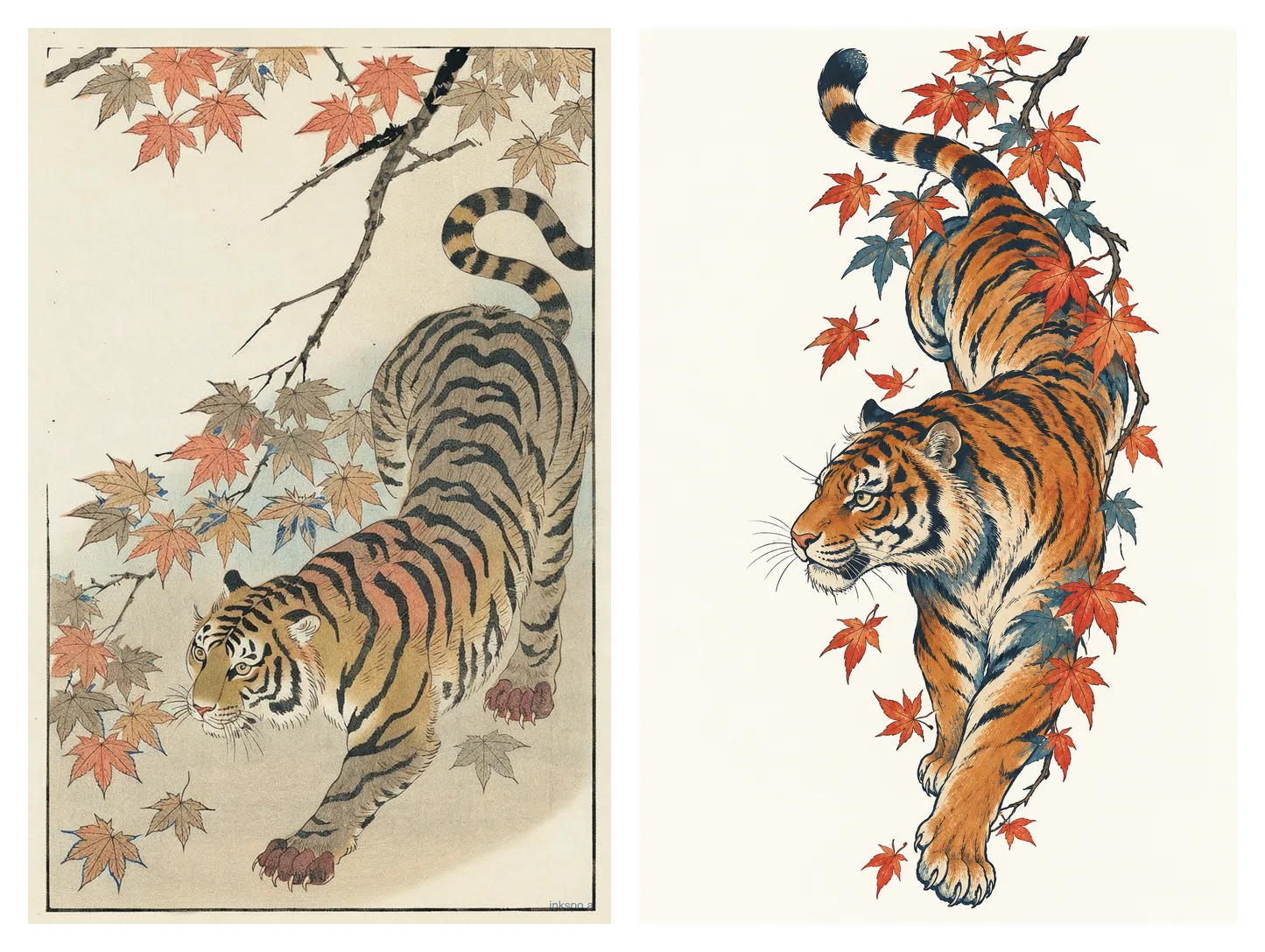
Why do AI tattoo designs usually look so generic
Three main reasons make this happen, in my experience.
When the prompt is vague and unclear (in reality, most prompts written by people are like that), the model fills in every missing choice with the most common one it has seen, or what it has been trained with. Take a tiger as an example, the most common tiger is a front-facing tiger, so when you just say "tiger" in the prompt, it would show you a front-facing tiger.
The model defaults to a familiar package: centred subject, heavy shading, and decorative filler around it. Older models generate something more obvious and limited to certain few templates - whatever you ask for, it tends to come out looking like Chicano or American traditional, and in certain composition. This is because the older image models are trained with those photos.
Below are 7 practical tips about how to make your AI tattoo designs less generic.
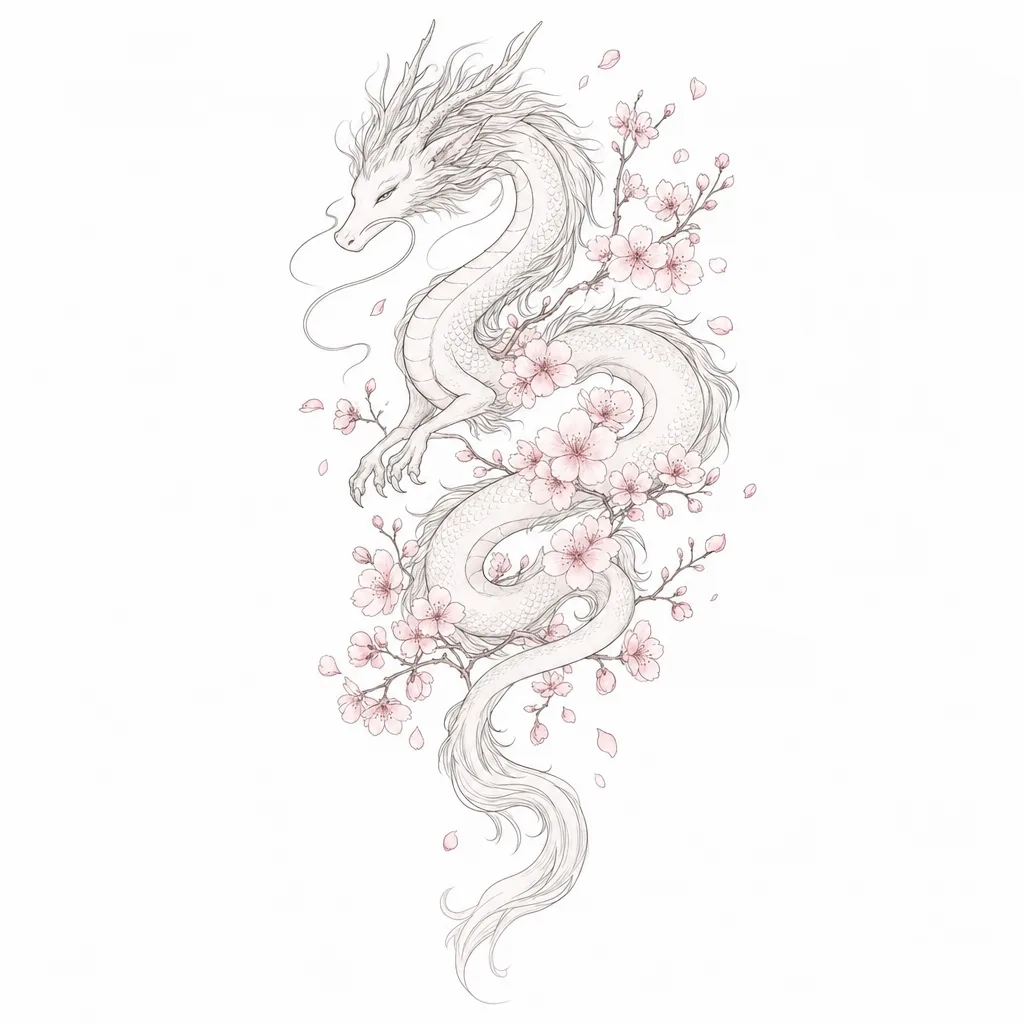
1. Use a specific composition instead of the default layout
The default composition from any AI generators is always the main subject in the middle, with secondary elements around it.
The way to make your design unique is to describe the direction or the posture of your main subject. For example:
Do not say "a tiger".
Say "a tiger closeup face looking to the left", or "a tiger walking down from a mountain".
If you're unsure what composition you want, don't just say "a tiger, give me a few options".
Say "a tiger closeup face looking to the left" then try to generate, then try again with "a tiger walking down from a mountain". This way, you are giving the AI very clear instructions and making sure each time it generates, it gives you a very unique outcome.
Say where the empty space is.
Example: "A tiger walking down from a mountain, head turned back over its shoulder, open space below the front paws"
Say whether the piece is vertical, round, or follows a curve.
This generally follows the tattoo placement - where you want the tattoo on your body. For example, tattoos placed on the forearm are usually a vertical piece because the shape of the forearm is a long trapezoid. If you want the tattoo to fill in your entire forearm, you can say:
"In the composition of a trapezoid"
If you only want it to be a small tattoo but not fill in the entire form, you can say:
"triangle shape" - I recommend a triangle shape because it's a great shape for the inner side of the forearm. You could also say round shape, or something else; if you had a consultation with your tattoo artist, they might have recommended something to you.
The specific shape of the design, and how does it fit with specific body placement is actually a very big topic to talk about, and is deeply related to tattoo artists' tattoo experience and their understanding of human body and muscle shapes. I can try to write more articles about it in the future. And for now, if you are unsure about the shape of the tattoo, you can simply say "vertical composition" or "horizontal composition", or use one of the Inkspo placement presets, in which I helped predefine the compositions.
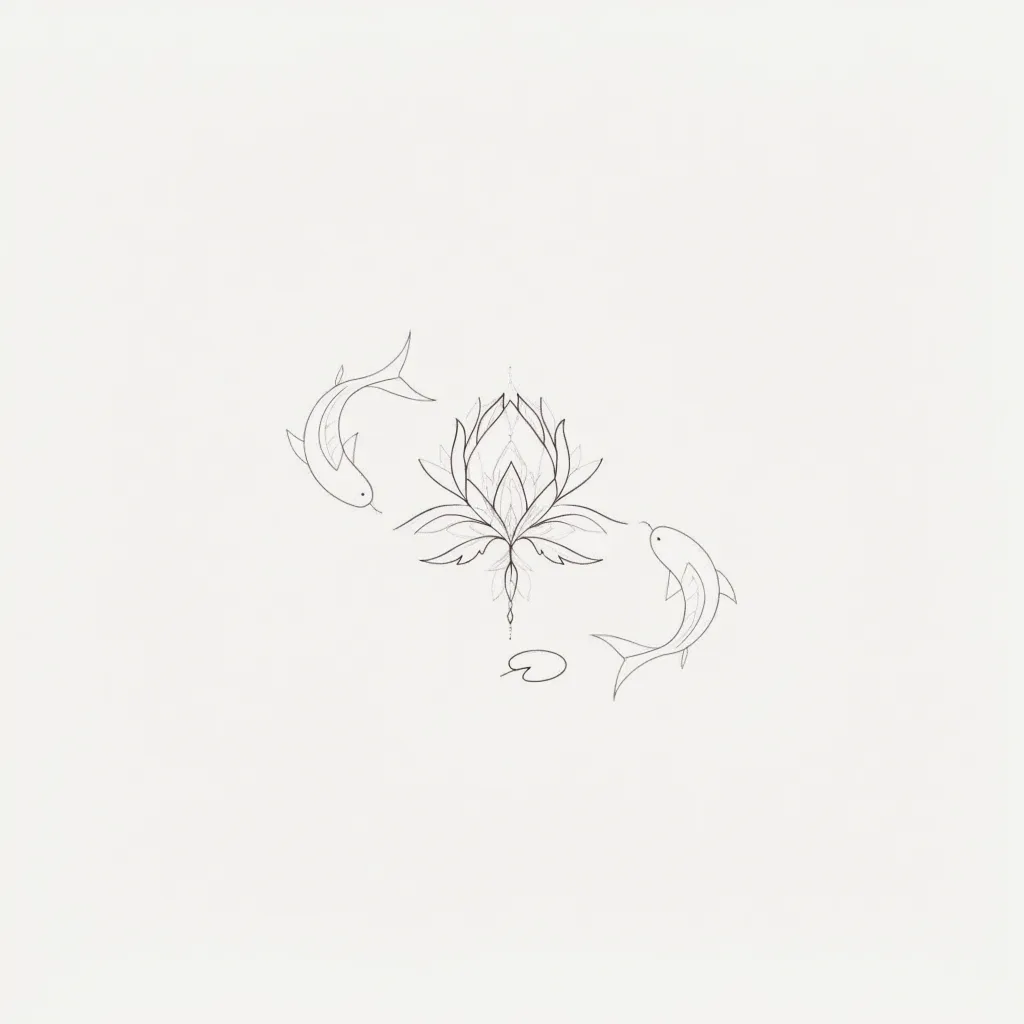
2. Combine a tattoo style with another art language
Art style names, especially tattoo styles, can mean different things to different people. 1000 people can have 1000 different understandings of "what is a blackwork tattoo". People call anything "illustrative", and "watercolor tattoo" means soft pastel color tattoo, Chinese ink painting tattoo, general color tattoos... With that being said, prompting the style word alone is likely not to get you the specific look in your head, unless it is a super classic style, such as American traditional.
A style name on its own gives the model too much room, and points the model to what it has been trained on, which is likely outdated too.
The way to describe a certain style is to use art or design descriptions. Those most of the time have a recognisable way of making marks. Use words such as:
- Chinese brush ink painting in the Qing Dynasty, black ink with a red splash
- Japanese woodblock print, Ukiyo-e
- Art Nouveau olive decorations
- Colors Miyazaki would use
Do not say "a Japanese tiger".
Say, "a tiger in Japanese Ukiyo-e painting, minimal woodprint colors, clear outlines".
"Japanese tiger" is a category. "Tiger in the manner of Chinese brush ink painting, dry brush strokes for the fur, a few heavy wet strokes for the stripes" is a unique design.
If you are not sure which art language fits your subject, try using Inkspo Artist-tuned Style Presets. These style presets are pre-prompted by our artists using specific design languages. Each of them points to a unique art style that cannot be found in any other AI tattoo generators.
Generate a custom tattoo design — free, no signup.
3. Say what to leave out
Most generic details are the "stereotypical elements". For example, if you describe a tiger in Japanese style, it might come out with Japanese waves.
Tell the generator what to leave out, in plain words, inside the same prompt: "no background, no waves, no flowers, no text". That one line removes most of the filler.
But before this, make sure that you have already given enough details for what you want. If the prompt ends up mostly about what you don't want, the model still does not know what you do want - this will create a very plain image with no details.
My general suggestion on this one is to leave out all the stereotypical elements for your selected style, such as waves, roses and clocks (unless they are actually an element that you do want).
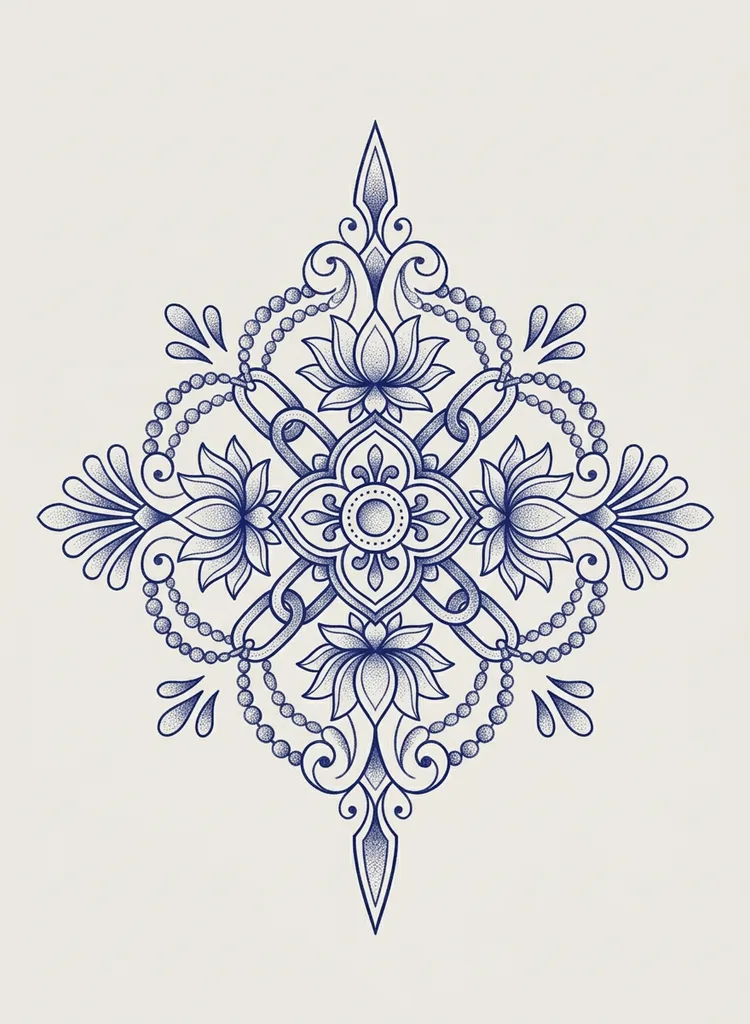
4. Add one personal visual element the model would never guess
Some people understand personalized design the same as personal background stories. This might be true for human tattoo artists, because human artists will listen to your story, understand it, and translate it into specific visual elements when they're working on a design.
But the AI tattoo generator does not do that translation. You have to tell it the exact specific visual elements that are personal to your story, instead of just telling it the story.
A lot of my clients have said this to me: "I'm no artist." "I can't visualize it at all."
This is a common challenge for people who don't have an art background. But a simple way to deal with it is to get ideas from another AI tool. Let's say ChatGPT, in a separate chat window, you could tell it your love story and be like: "What do you think are some visual elements that could express my story?"
And ask it to give you a list of visual elements. I'm sure among the long list it provides, you'll find some inspirations.
Then come back to the AI tattoo generator and put that element into the prompt.
A particular plant instead of "flowers", a specific object instead of "the date", a detail from the story... Either one of those things is good enough to support a small-size tattoo, which is about 3 square inches.
5. Use reference images without copying an existing tattoo
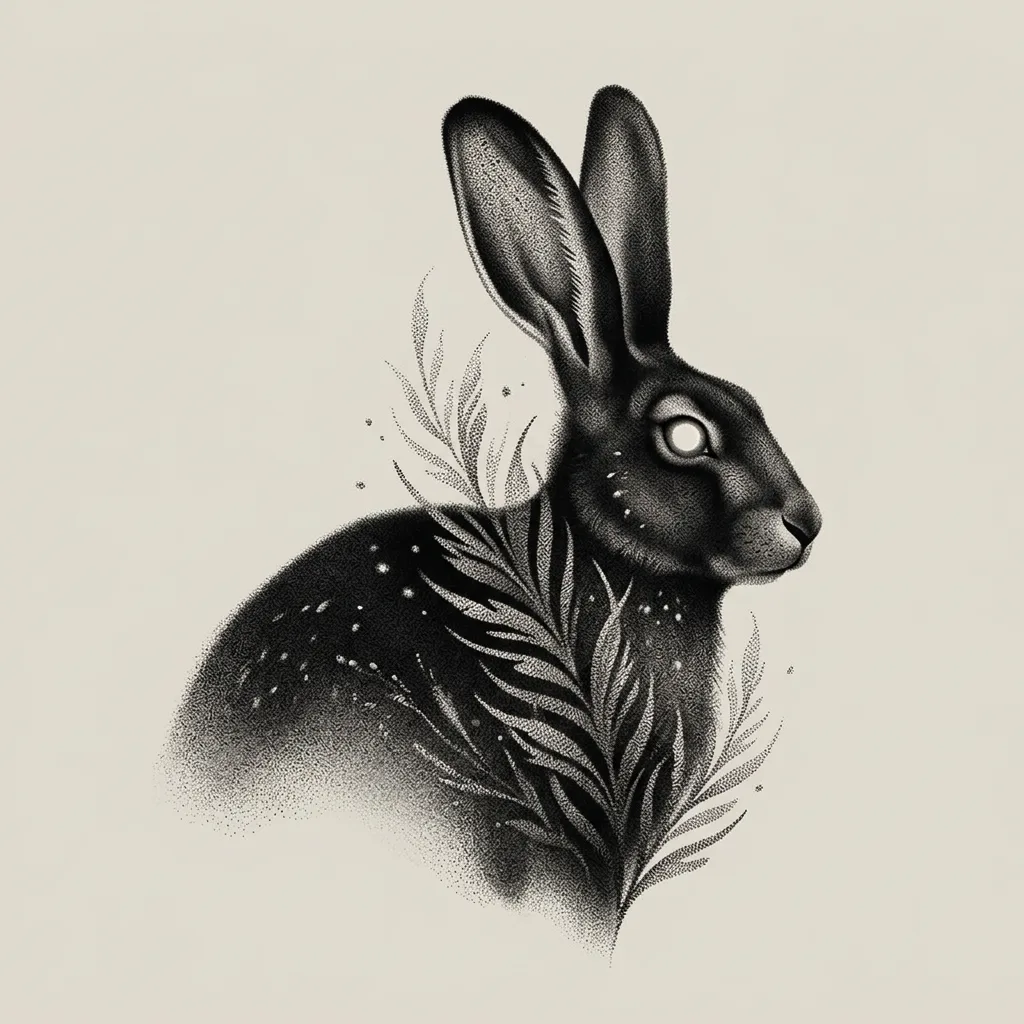
A reference image is the fastest way to get a specific look or vibe, and a lot of tattoo generators have a Remix or image input for it. Text and image give very different results, because they prompt an image model in different ways. So it is worth trying both with the same idea. Say in the prompt which thing you are taking from it.
I would use the reference for these things:
- The composition, "A design with similar composition to the photo I uploaded"
- The line quality, "A design with two different line weights, bold line and fine line, similar to the photo I uploaded"
- Brush feel, "Design with dry brush textures, similar to the photo I uploaded."
- Colors, "Colors close to the photo I uploaded"
- Vibe, "Oriental vibe, similar to the photo I uploaded."
It is specifically good to use photo prompts for those things that are hard to describe, e.g. vibes.
Don't upload a finished tattoo from another artist and ask for "A tattoo design similar to that". This is likely to generate you a photo of a finished tattoo on some body parts, which cannot be used as a design.
6. Design for your placement and size
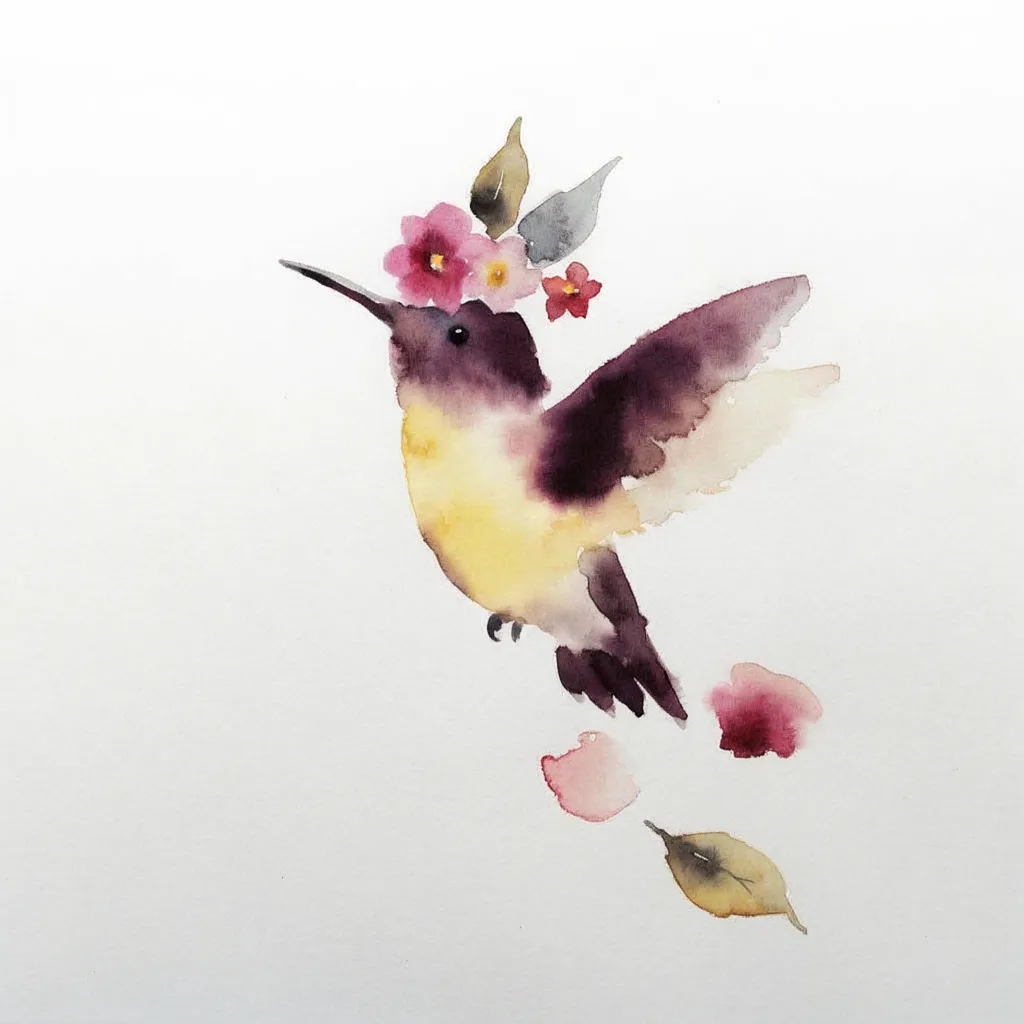
As said, different body placement kinda decides on what shape of design works the best on it, and this is related to the tattoo artist's tattoo experience.
A quick checklist I can provide:
- Forearm - vertical
- Chest - horizontal
- Sternum - You can start with vertical, but leave enough space to be horizontal.
- Upper arm - Lots of people think it's vertical design, but it's actually closer to 1:1
- The thigh - people think it's vertical design, but it's actually close to 4:5
- Shoulder - 1:1
There is so much more to it. A lot of times, the best composition for a tattoo design is a little bit anti-intuitive, or not exactly the same as how people imagine it to be. This is because the skin is stretchy, and a lot of times the customers or audience only look at the Instagram pictures of tattoo photos, which only show one angle of the tattoo. But a good tattoo artist would always incorporate different angles of the same tattoo.
For example, a typical photo of an upper arm tattoo would only show the side angle, which is a vertical design. But if you walk around the person to the front or the back, there is usually more to it that is not shown in that one vertical photo. To have a complete tattoo design that looks good from the side, the front, and the back, this tattoo has to be close to a 1:1 composition instead of just a vertical design.
This, a lot of times, is the tattoo artist's work during the design workflow to decide what is the best composition for the client. If you are a client using AI generators to try to visualize something, a simple start point is to say something like:
- Symmetrical design or asymmetrical design
- Vertical or horizontal
- Curved or not curved
A lot of times, these are good enough to start with.
Want a tattoo design after reading this article? Describe your idea and get design ideas in seconds.
7. Refine one change at a time
The first image is almost never the one. Good, practical designs usually come out of a process, and a little bit of patience to make them: generate a few in different directions, pick the closest, then change one small thing per round. Vibe first, then maybe some elements or the composition, then what to leave out, then colors or other details.
Follow a big-small sequence to get the work complete.
If you change three things at once and the result is worse, you don't know which change did it. One change per round is slower per round and faster overall.
Use the Remix function to keep the parts you like and change the rest, instead of starting over from text each time.
Before and after: taking a generic tiger to a specific design
I'm gonna do an AI tattoo design experiment below and show you how I complete the prompting step by step. I will be using ChatGPT and Inkspo as the 2 testers. In each step, I will put in the exact same prompt, and we can compare the outcome, as well as observing how the design gets more and more unique while the prompt gets twisted.
Assuming I'm a client who had never read this article, what I would say in the first version of my prompt might be something like, "a tiger tattoo in Japanese style."
V1 — The generic prompt
a tiger tattoo in Japanese style, tattoo for the forearm, surrounded by maple leaves.
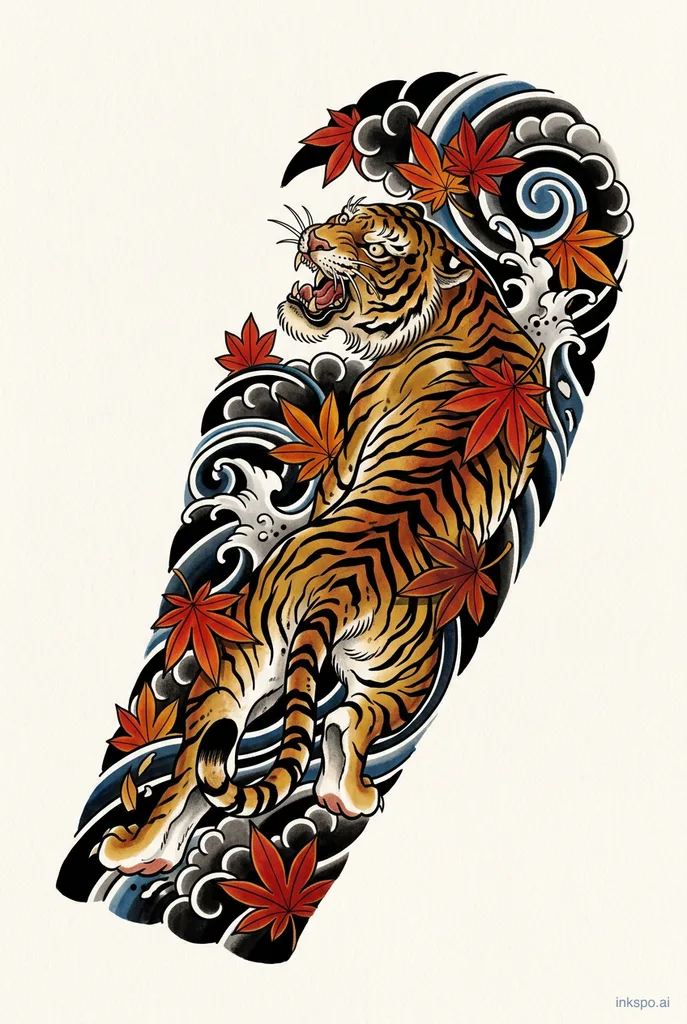
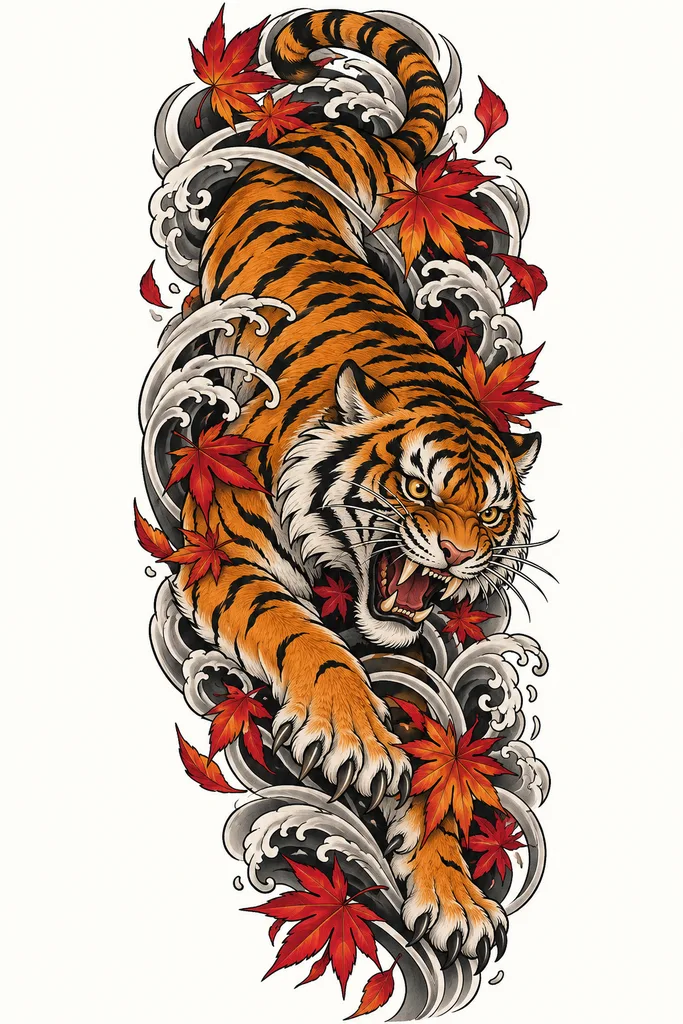
The quality of design comes out fine (I was using inkspo.ai to generate this tattoo, and they use very up-to-date image models). But as you can see, there are still generic elements: the shape of the tattoo comes out as an upper arm design instead of forearm, this is because the "design for the forearm" is a very vague concept for image generators, they tend to understand "arm tattoo" as "upper arm outer side tattoo".
Other generic elements include waves and clouds that we did not ask for.
V2 — Composition
A tiger walking downward with its head turned to the left side, the body follows a long S curve, open space next to its face, vertical composition, 1:2 ratio, with some maple leaves around it
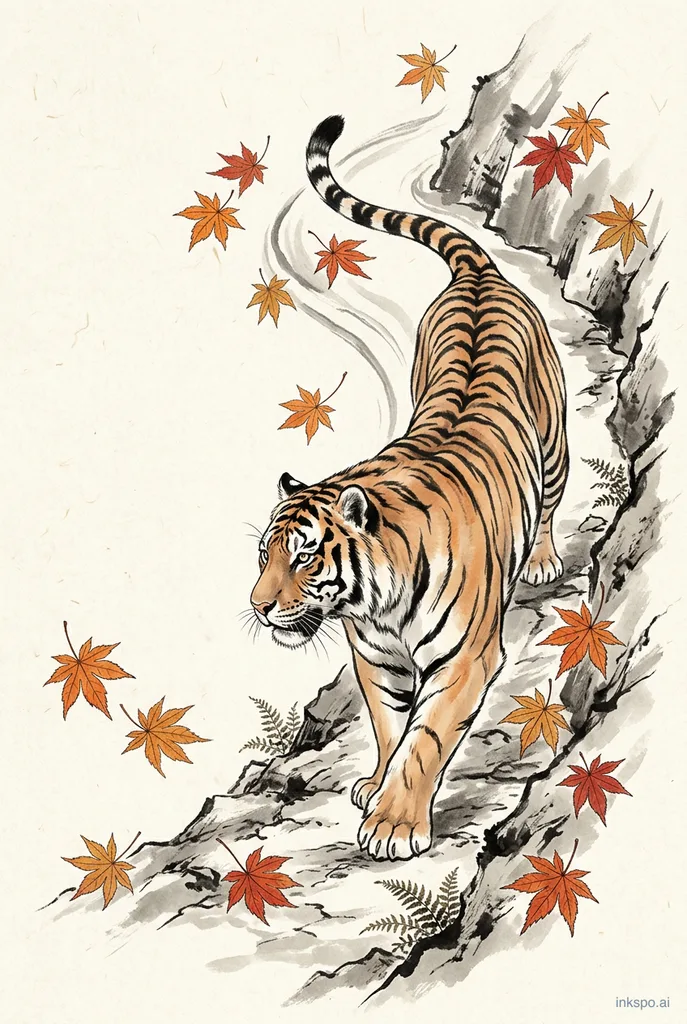
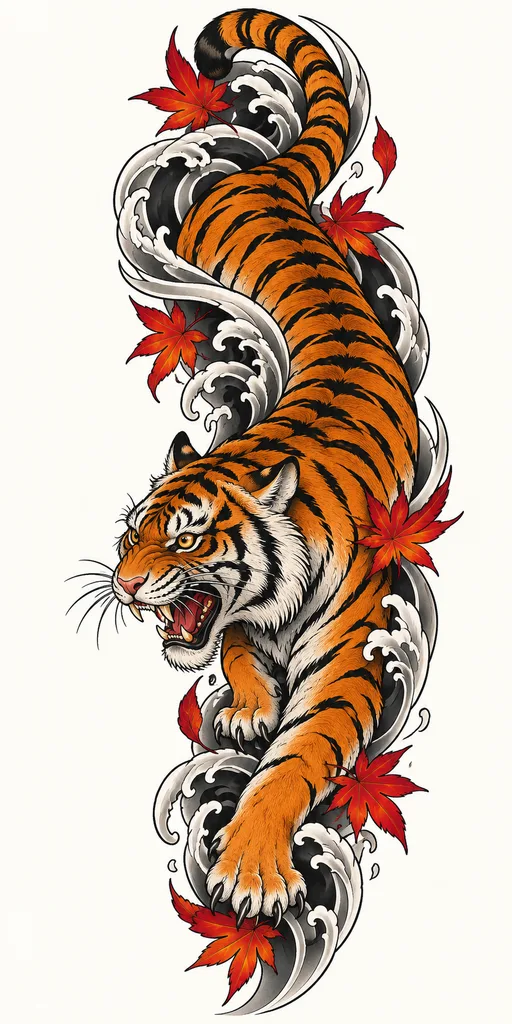
This time with the prompt, I described the composition with more details, and now it starts to look less like a generic Japanese tiger tattoo. If you have read my other article "How to Design a Tattoo With AI", I also explained why mentioning the word "tattoo" or "tattoo design" can have a negative impact on the design quality. If you noticed, in this generation, I took the word "tattoo" away, and that, by itself, helps the design to be less generic.
V3 — Artistic direction
A tiger in Ukiyo-e painting, the tiger walking downward with its head turned to the left side, the body follows a long S curve, open space next to its face, vertical composition, 1:2 ratio, with maple leaves and a maple branch around it, Japanese woodprint painting, flat color, dry brush strokes for the fur, orange and blue tune, wood-carving outlines
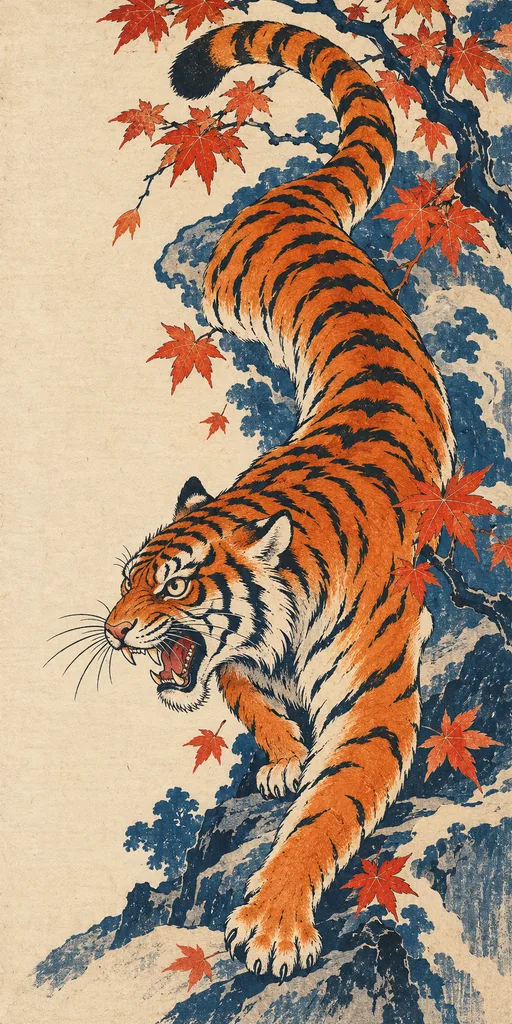
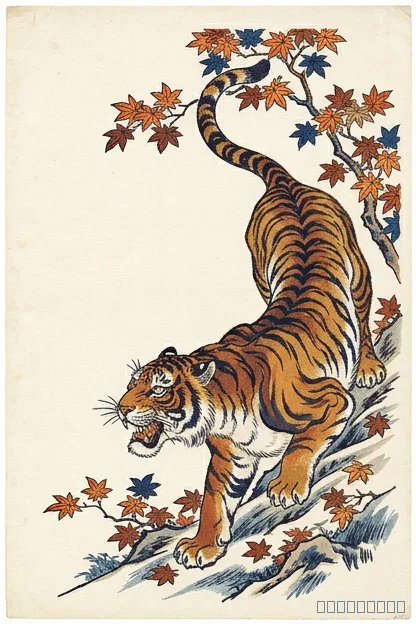
In this version, the generator closely followed my description and added woodprint texture and the color I asked for. The previous design looked more like a Chinese brush painting due to the subject, but in this version, I forced it to be more Japanese-woodprint-looking using the word ukiyo-e and woodprint.
However, there is a better way to twist the artistic direction: use the Inkspo artist-tuned presets.
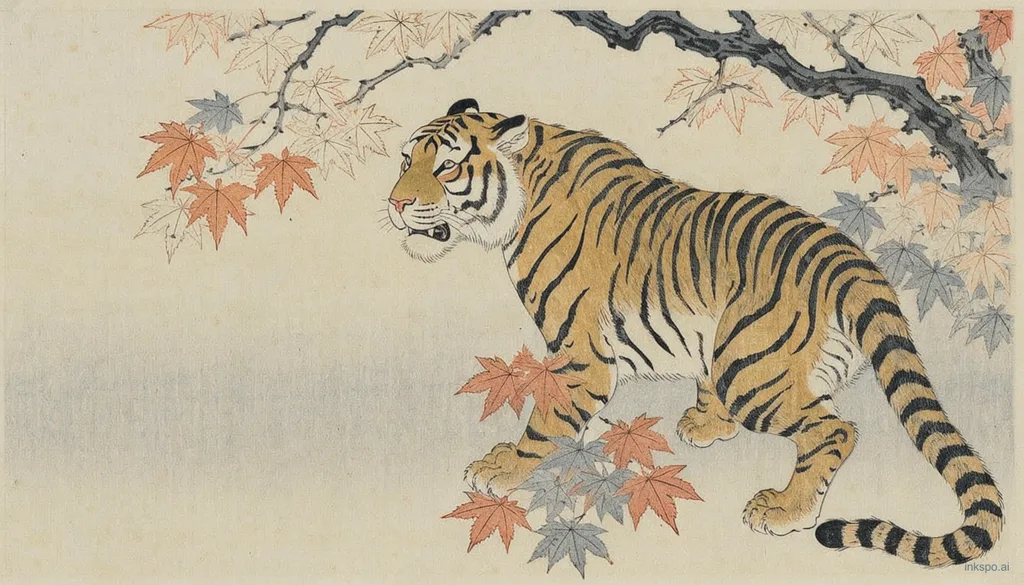
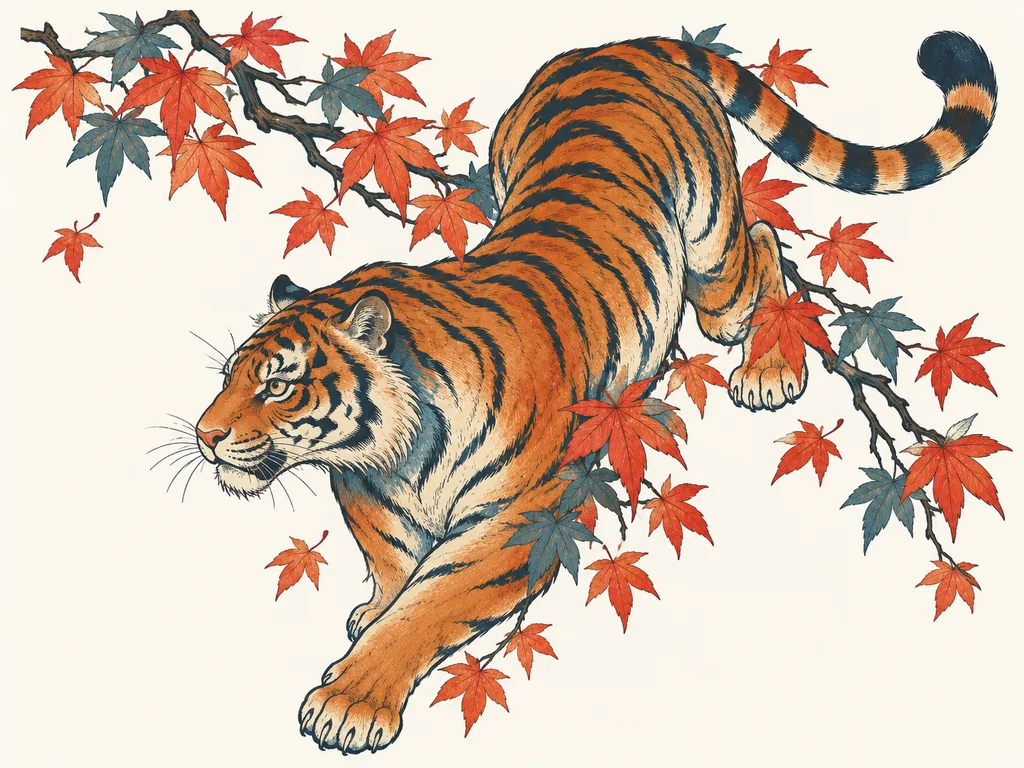
I tuned a ukiyo-e preset just for this test experiment. Let's put the exact same prompt into it and choose the ukiyo-e preset (the above image did not use any preset), and here's the outcome:
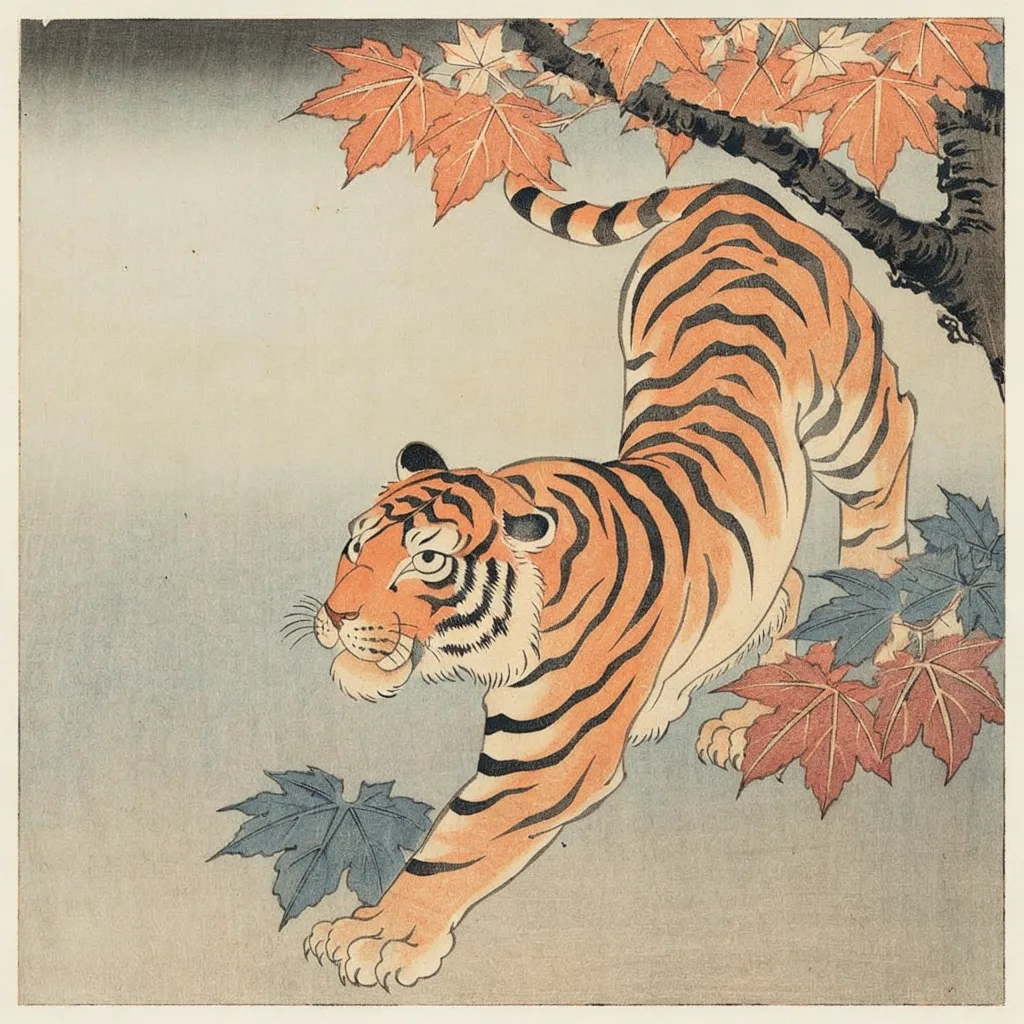
As you can see, with the exact text prompt, the image using the Ukiyo-e presets has a stronger ukiyo-e vibe, and a lot less generic. This is because in the preset there are more conditions and limits to help bring the art direction more lively and precisely.
V4 — Remove the clichés
The 2 designs that come from Inkspo are pretty clean and do not have too many things to remove. The image from ChatGPT blended in blue background of stones, trees, and even a little wave, so here's the next prompt (ChatGPT only):
A tiger in Ukiyo-e painting, the tiger walking downward with its head turned to the left side, the body follows a long S curve, open space next to its face, vertical composition, 1:2 ratio, with maple leaves and a maple branch around it, Japanese woodprint painting, flat color, dry brush strokes for the fur, orange and blue tune, wood-carving outlines. No stones, no trees, no background.
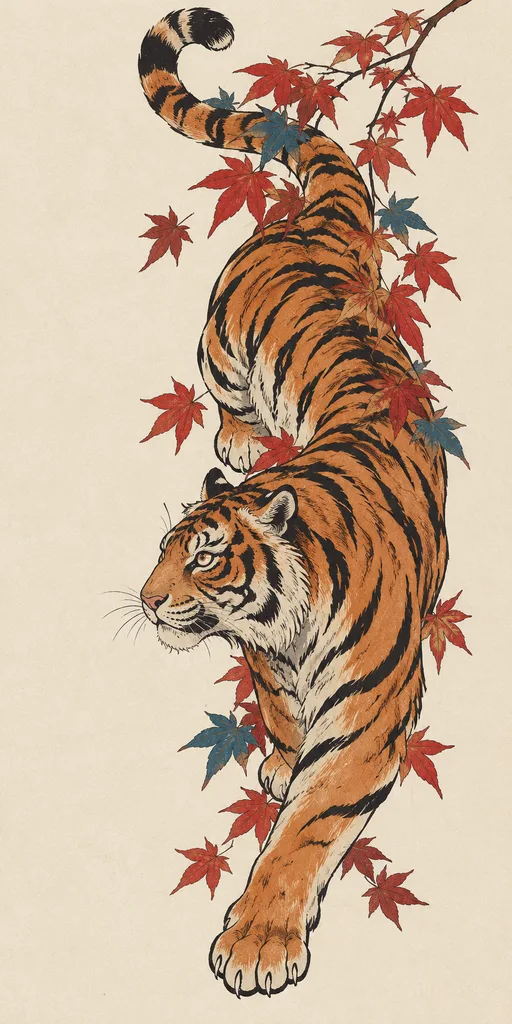
Much better image!
V5 — Placement
In this step, I'll give you two versions.
With Inkspo, I'll be using the exact prompt in V3, plus the Ukiyo-e style preset, plus the forearm placement preset. For Inkspo we didn't need to write the V4 limits.
A tiger in Ukiyo-e painting, the tiger walking downward with its head turned to the left side, the body follows a long S curve, open space next to its face, with maple leaves and a maple branch around it, Japanese woodprint painting, flat color, dry brush strokes for the fur, orange and blue tune, wood-carving outlines.
With ChatGPT, I'd also be using the exact prompt in V4, plus a description on placement and size in words.
A tiger in Ukiyo-e painting, designed for a forearm tattoo, about 10 cm tall, Vertical composition, the tiger walking downward with its head turned to the left side, the body follows a long S curve, open space next to its face, with maple leaves and a maple branch around it, Japanese woodprint painting, flat color, dry brush strokes for the fur, orange and blue tune, wood-carving outlines. No stones, no trees, no background.
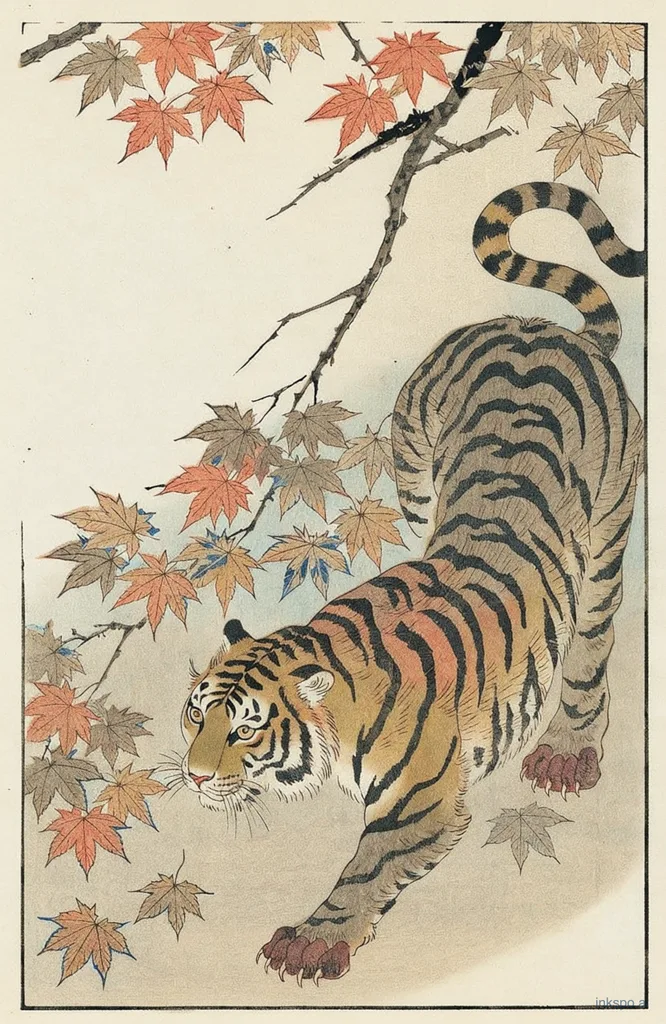
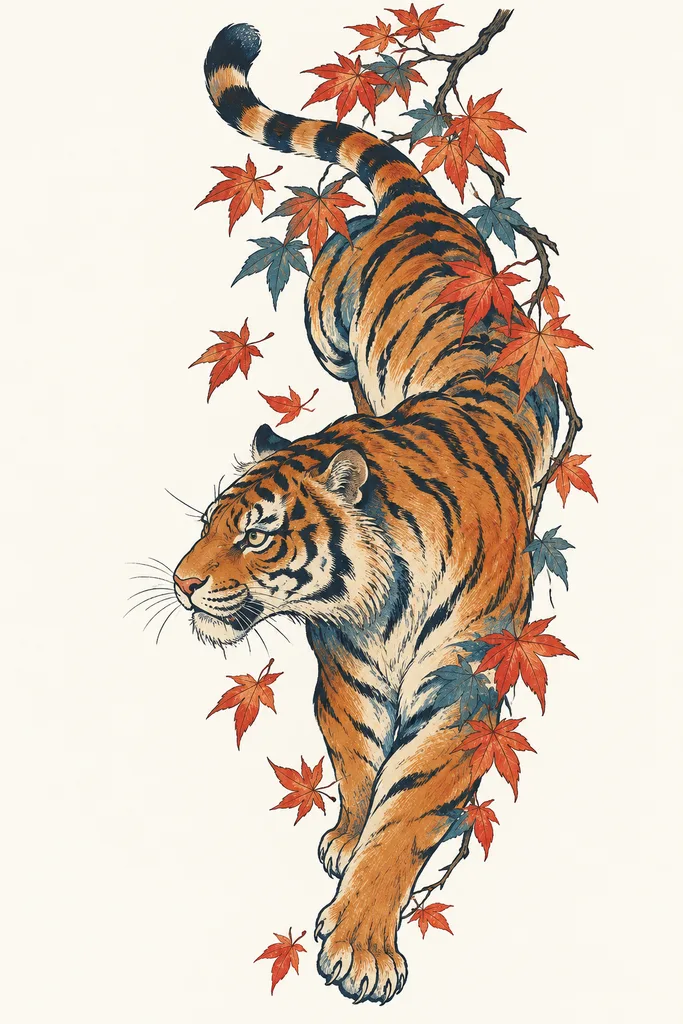
Both designs work for the forearm composition-wise, but it seems like ChatGPT has slightly forgotten about the art style requests - the design now comes out a little more generic than before. This could happen when the prompt gets longer and longer.
Since the forearm tattoo composition is pretty similar to our test result from V1 to V4, I slightly changed the prompts from "forearm tattoo, Vertical composition" to "a chest tattoo, horizontal composition" and here is the result below. (With ChatGPT, I changed the wording to "A tiger in Ukiyo-e painting, designed for a chest tattoo, horizontal composition, the tiger walking downward ..." And with Inkspo, I just click on the chest preset.)
Complete AI tattoo prompt for a less generic design
Here it is as a template you can fill in:
A [subject] tattoo in the manner of [art language], [composition], about [shape] (round / triangle). [How the subject is posed and which way it faces]. [How the lines and tones are made]. No [the filler you don't want].
Make a tattoo design with Inkspo - Free AI Tattoo Generator
FAQ
How can I make my AI tattoo look more original
Decide the composition and the art language yourself instead of leaving them to the model. Then add practical personal details. See tips 1, 2 and 4.
Why do all AI tattoos look the same
Short prompts leave the same decisions to the same models, so you get the same defaults: centred subject, heavy shading. It depends on which model you're using and how they were trained. Older models make images more generic.
How do I stop AI from adding random flowers or clouds
Say so in the prompt: "no flowers, no clouds, no background". Keep the list short.
How do I create a personalised AI tattoo
Use more specific descriptions and make sure they don't conflict with each other. For more tips, see this article: How to Design a Tattoo With AI.
Can I use someone else's tattoo as a reference
Tattoo photos are generally not great references because it will make the generator give you similar tattoo photos as a result, but not designs that could be used. You can use illustrations as a photo reference and tell the generator, "Give me a similar vibe."
Will a tattoo artist accept a design made this way
Usually yes. I wrote about what happens next in Will a Tattoo Artist Accept an AI-Generated Design?.
Related Articles
Written by Jing — 10+ years tattoo artist, 8+ years tattoo mentor who trained hundreds of tattoo students and apprentices.
@tattooartist_jingNot sure what you want yet? See real tattoo ideas by style and body placement in Tattoo Ideas.